Merging Amazon Seller Accounts: What Can Be Merged, What Cannot, and What It Changes
Amazon lets an owner merge seller accounts from different regions into one global account, permanently, from the Sell globally page. It does not merge two accounts in the same store. What Amazon's staff say about each, the fee that changes, the errors sellers meet, and what to do with a second account instead.


Loading Article banner
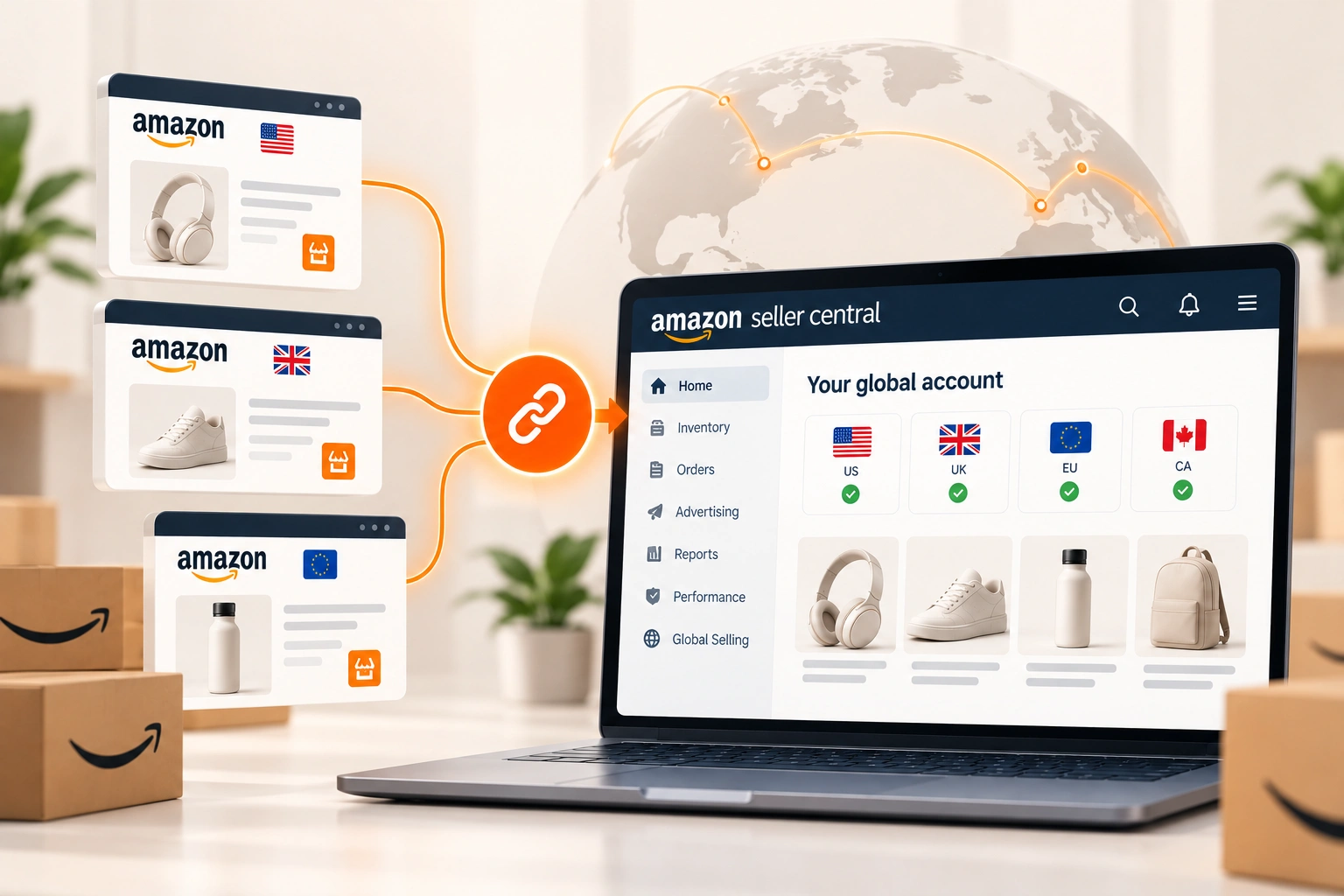
Sellers ask to merge Amazon seller accounts for two quite different reasons. One has an account in the United States and another in the United Kingdom or Europe, opened separately, and wants to run them as one. The other has two accounts in the same store, often one for each brand, and wants them combined. Amazon has a tool for the first and nothing for the second, and confusing the two is how sellers end up with an error message, or with a related account problem.
This article sets out what Amazon's staff have said about merging on the Seller Forums, the fee that changes, the errors sellers report, and the right move for a second account in the same store. The help pages behind the Seller Central sign in were not read, so the rules here are Amazon's moderators', quoted, and the experiences are sellers', labelled.
What merging is: accounts in different regions joined into one
Amazon's merge joins seller accounts registered in different regions into one global account. In a post on global selling, Josh_Amazon gave the route: in Seller Central, go to Inventory, then Sell globally, select the Merge accounts tab and follow the prompts to choose and verify the accounts. Micah_Amazon described what it is for: merging "unifies your selling experience across Amazon's international stores", and opens tools that were previously restricted to a single country.
A seller with one account who wants to start selling in another region does not need to merge anything. Micah_Amazon explained that registering the new country from Sell globally, inside the existing account, joins it as part of the registration. Merging is for accounts that already exist separately.
The rules Amazon's staff give
Only the owner can merge. Josh_Amazon and Micah_Amazon both say a merge can only be done by the owner, and Josh_Amazon's post adds that the seller must be the legitimate owner of every account being merged.
It is permanent. "Merging of accounts is permanent," in Micah_Amazon's words: once accounts are merged, the merge cannot be undone. Josh_Amazon's advice is to review the changes carefully before confirming.
Not by an agency. Micah_Amazon said that a solutions provider, web agency or integrator managing the account should not merge accounts; the owner does it directly. An agency can prepare the decision, and the owner completes it.
The subscription changes, the selling fees do not. According to Josh_Amazon's post, a merged account pays the lower of the combined subscription fees for the countries with active listings or the equivalent of $39.99 a month, split across those countries and charged in local currencies. Referral, FBA and closing fees still apply in every store; Amazon seller fees explained lists the fees that stay exactly as they were.
Before you merge: what to check
Because the merge cannot be undone, the checks come first. Confirm that every account is yours, with the same owner on each, since that is the condition Amazon's staff state. Check each account's health: once accounts are joined, a problem on one sits inside the same global account as the others. Check who has access: users, service providers and connected apps on each account will all sit inside the merged account afterwards, and related account deactivations explains why access is one of the things Amazon looks at when it decides accounts are connected. And settle the banking and tax details in each region before the merge, not after it.
The errors sellers report
Merges do not always go through. One seller merging a long standing US account with a newly approved European and UK account reported this message: "This global account has an in-registration account. You can finish registering or terminate the in-registration account, and then try to merge your accounts." Another, merging a US account with a UK account, reported "Sorry Account cannot be merged" after an earlier attempt had left a registration pending.
In both threads the Amazon moderator's answer was the same: open a case with Seller Support, with the error codes. An unfinished registration on either side is the first thing to look for.
Two accounts in the same store cannot be merged
There is no tool for merging two accounts in the same store, two US accounts for example, and Amazon's staff have not offered one. Asked whether two sellers could merge their accounts and inventory, Veronica_Amazon pointed to merging across international stores and noted that it did not sound like the seller's situation. A second account in the same store is the territory of Amazon's one account rule and its legitimate need exception, which the related account article explains.
A seller with several brands does not need several accounts. Micah_Amazon's answer to a company with two brands on two accounts was that several brands, "each with their own branded storefront", can be registered to the same seller account. So the practical route is to bring the catalogue into the main account: list the products there, move any FBA stock across by a removal order and a new shipment, let the old offers sell through, then close the second account cleanly, in the order set out in closing or pausing an Amazon seller account.
Sellers on the forums point out that product reviews belong to the ASIN rather than to the seller, so a product listed on the same ASIN keeps them, while a new ASIN starts again. The old account's seller feedback and performance history stay with that account.
Is it worth merging?
For a brand that sells in more than one region, usually yes: one login, one place to see every store, and a subscription that costs no more than paying each region separately, and often less. The case against is specific: accounts that should stay separate for a business reason, such as a regional business that may be sold, or an account with a health problem that has not been resolved. Because the merge is permanent, those questions are settled first. A brand still deciding whether to open the next region at all will find that decision in Amazon's global expansion tools and what they leave to you.
How we help
We run Amazon accounts across regions for brands, which includes the unglamorous part of making sure the ownership, banking, tax details and access on each account agree before anything is joined. That is part of the Amazon account management work we do. The merge itself is the owner's click, as Amazon requires; the preparation is where the mistakes are avoided.
Part of the guide: How to Start Selling on Amazon: The Account, the Product, the First Listing.
Frequently asked questions
The questions that come up most often on this subject.
If they are in different regions and you own both, yes: from Inventory, Sell globally, Merge accounts in Seller Central, as Amazon's moderators describe. Two accounts in the same store cannot be merged; the catalogue has to be moved into one account and the other closed.
Yes. Amazon's moderators state that a merge cannot be undone once confirmed, which is why ownership, account health, access, banking and tax details on each account should be checked before it.
According to Amazon's post on global selling, a merged account pays the lower of the combined subscription fees for countries with active listings or the equivalent of $39.99 a month, charged in local currencies. Referral, FBA and closing fees are unchanged.
No. Amazon's moderators say only the account owner can merge accounts, and that a solutions provider, agency or integrator managing an account should not do it. An agency can prepare the accounts; the owner completes the merge.
Sellers most often report an unfinished registration on one of the accounts, shown as an in-registration account, which has to be completed or ended first. Where no reason is shown, Amazon's moderators advise opening a case with Seller Support and including the error codes.