How Google Finds an Online Store, and What Search Console Shows of It
Google finds a store in three stages, crawling, indexing and serving, and Search Console reports on each in a different place. What Google says about finding product pages, the reports a store reads in order, from page indexing and the Shopping section to the branded queries filter, and a monthly read.


Loading Article banner
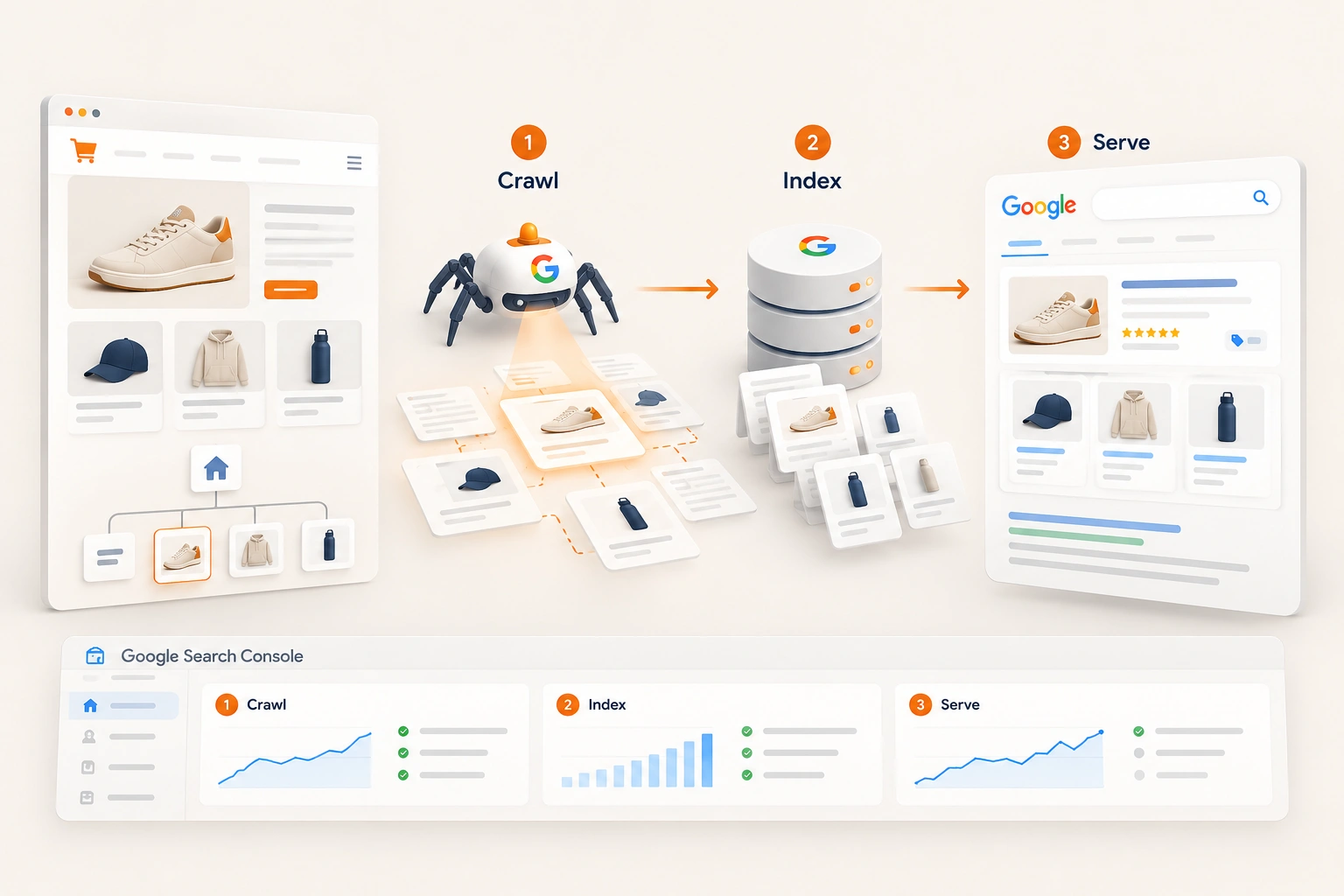
An online store reaches Google's results in three steps, and most organic traffic problems start at one of them: Google has to find the pages, keep them, and choose to show them. Search Console reports on each step in a different report, and Google has added several since late 2025.
This is how Google says it finds a store, the report that shows each step, and the order we read them in.
How Google finds a store, in Google's words
Google describes three stages. Crawling: "Google downloads text, images, and videos from pages it found on the internet with automated programs called crawlers." Indexing: it "analyzes the text, images, and video files on the page, and stores the information in the Google index." Serving: when somebody searches, "Google returns information that's relevant to the user's query."
New pages are found when Google "extracts a link from a known page to a new page", or from a sitemap, which Shopify generates for a store, as the Shopify SEO guide sets out. None of it is a promise: "Google doesn't guarantee that it will crawl, index, or serve your page."
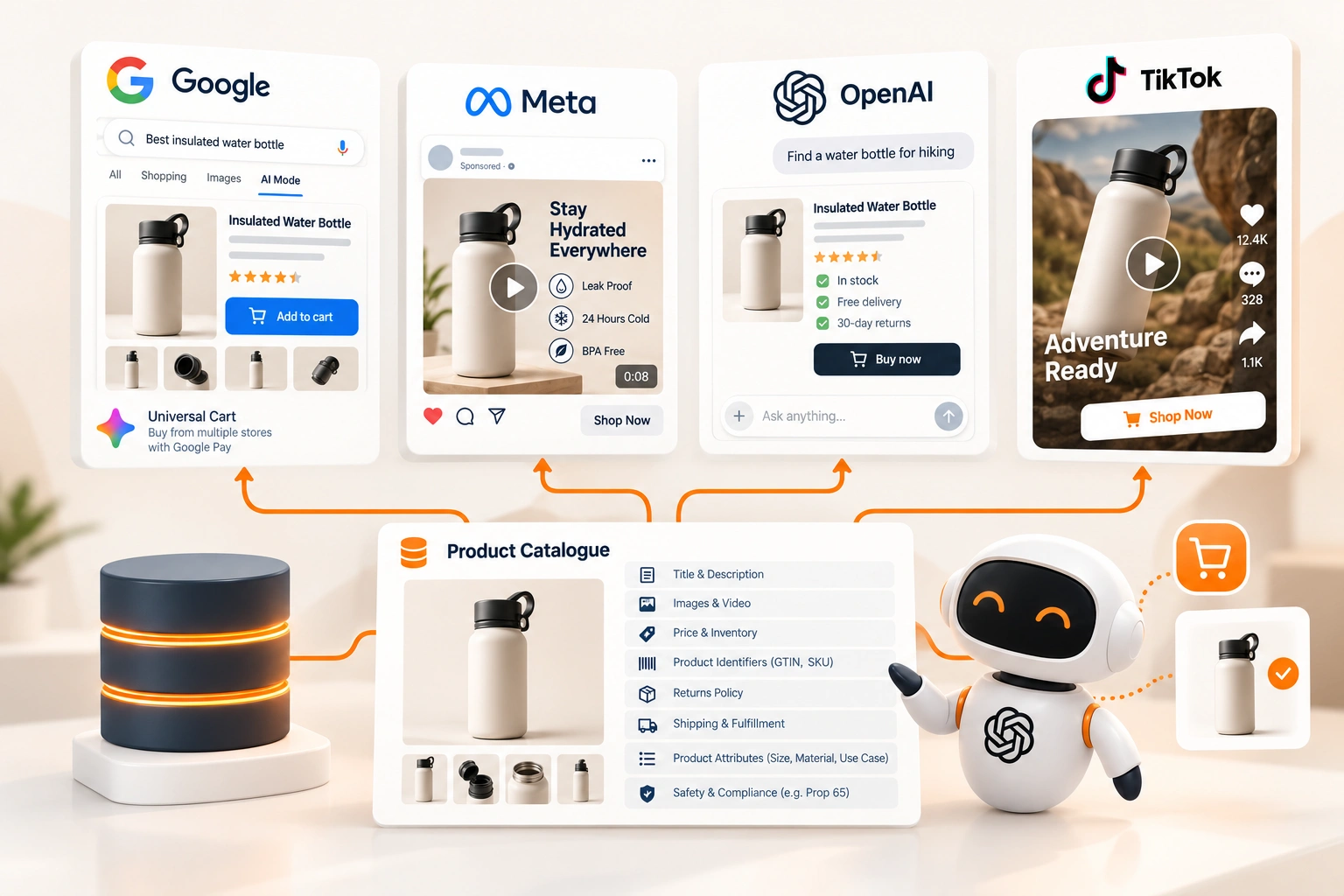
For a store, Google's eCommerce guide adds the sentence that changes the plan: "Web crawling is not guaranteed to find all products on your site." It names two ways to tell Google directly, structured data on the product page and a feed in Google Merchant Center, and its product documentation puts them together: "Providing both structured data on web pages and a Merchant Center feed maximizes your eligibility to experiences." Structured data for online stores covers the markup.
The feed reaches further than the results page. Google lists six places a store's content can appear: Search, Images, Lens, the Shopping tab, Business Profile and Maps. For the Shopping tab its instruction is one line: "upload your products to Google Merchant Center."
Is the store in the index
The Page indexing report comes first, because nothing later matters for a page Google has not kept. Google sets the expectation itself: "You should not expect all URLs on your site to be indexed, only the canonical pages." A store whose variant, filter and collection addresses outnumber its products several times over is not failing because most of its URLs are excluded. It is failing if its product and collection pages are.
Three of the reasons on that report matter most to a store, on our reading.
Duplicate without user-selected canonical. Google "has chosen the other page as the canonical for this page, and so will not serve this page in Search." On a store it is often one product reached by several paths, the problem behind collection pages that do not rank.
Crawled but not indexed. In Google's words, "The page was crawled by Google but not indexed. It may or may not be indexed in the future". Read such a product page as a buyer would: a supplier's paragraph and a price give Google little reason to keep it, which is the case against supplier product descriptions.
Discovered but not crawled. Google knows the address and has not fetched it: "Typically, Google wanted to crawl the URL but this was expected to overload the site; therefore Google rescheduled the crawl." On our reading, a store with many of these is spending Google's attention on filter and sort addresses instead of products.
For one page, the URL Inspection tool shows which canonical Google chose and can test the live page, but "Submitting a request does not guarantee that the page will appear in the Google Index." After a fix across many pages, the report's Validate fix button starts a check that "typically takes up to about two weeks".
Is the product data being read
Search Console has a Shopping section, and what appears in it depends on what Google has found on the site. The merchant listing report covers structured data for "pages where customers can purchase products from you". The product snippet report covers pages where people cannot buy directly, such as reviews, and is "present if Google found Product snippet structured data on your site." On our reading, a store that sees neither has markup Google is not reading, or none at all.
Beside them, the Merchant opportunities report "shows recommendations for improving how your online shop appears on Google", and a store with a Merchant Center account is told to link the two: "If you have a Merchant Center account, you'll need to associate it with your Search Console property."
What the store is shown for
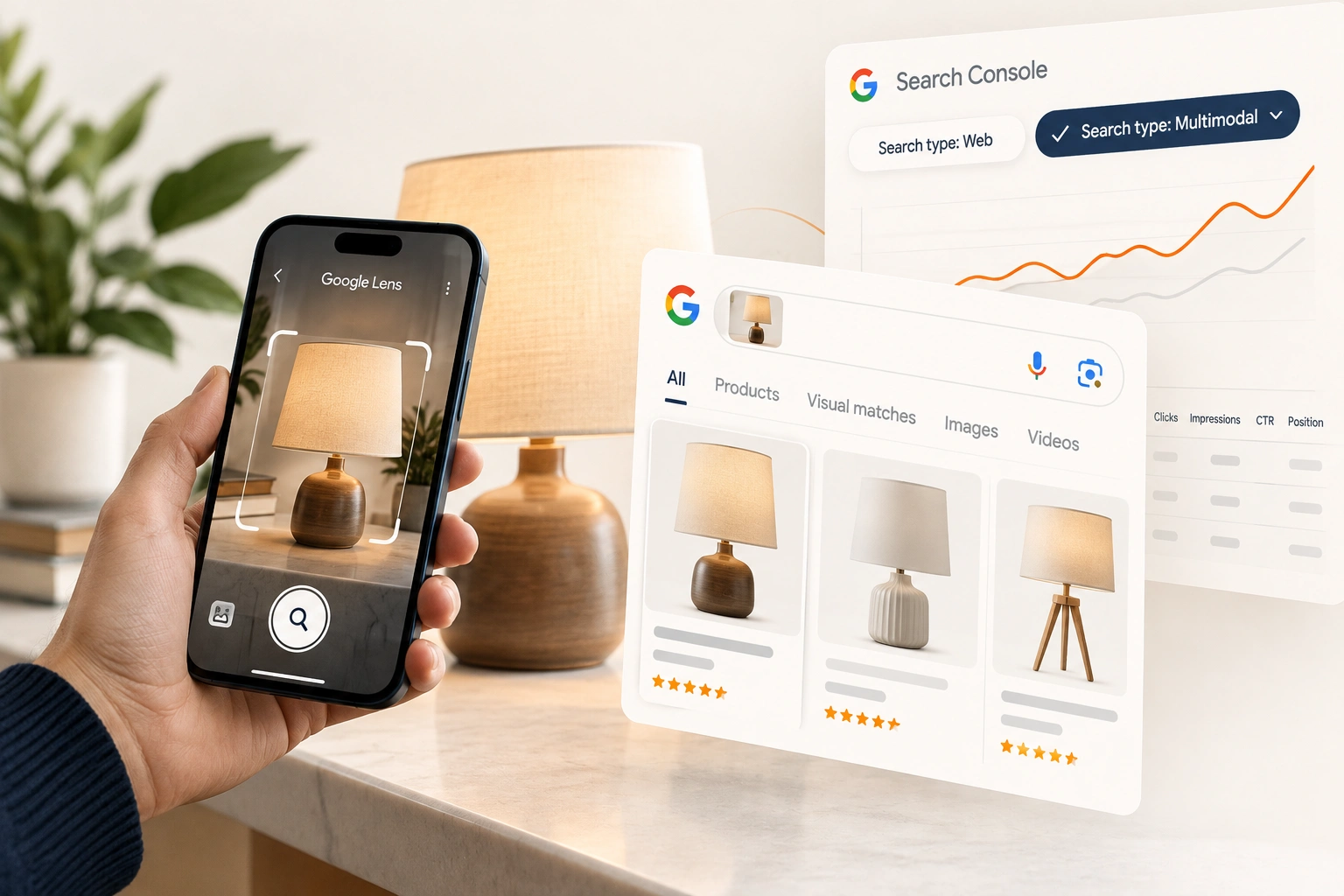
Only now does the Performance report mean much. It counts clicks, impressions, click-through rate and average position, "the average position of the topmost result from your site", and its search type filter separates "web (text-based or multimodal), image, video, or news searches." Multimodal is the camera search a product store is built for, covered in Google Lens traffic in Search Console.
One filter changes how every other figure reads. Since 20 November 2025 the report can separate branded searches, "a query that includes your brand name", its misspellings or the brand's own products, from the rest. Google sorts them with "an internal, AI-assisted system", warns that "some queries may occasionally be misidentified", and offers the filter on top level properties with enough searches. It "has no effect on how Google Search ranking works", and in Google's words "non-branded queries offer organic growth, as they show how new users find your content." For a store, that is the line to watch.
The newer views, and what each adds
Three more views arrived in 2026, each read beside the Performance report.
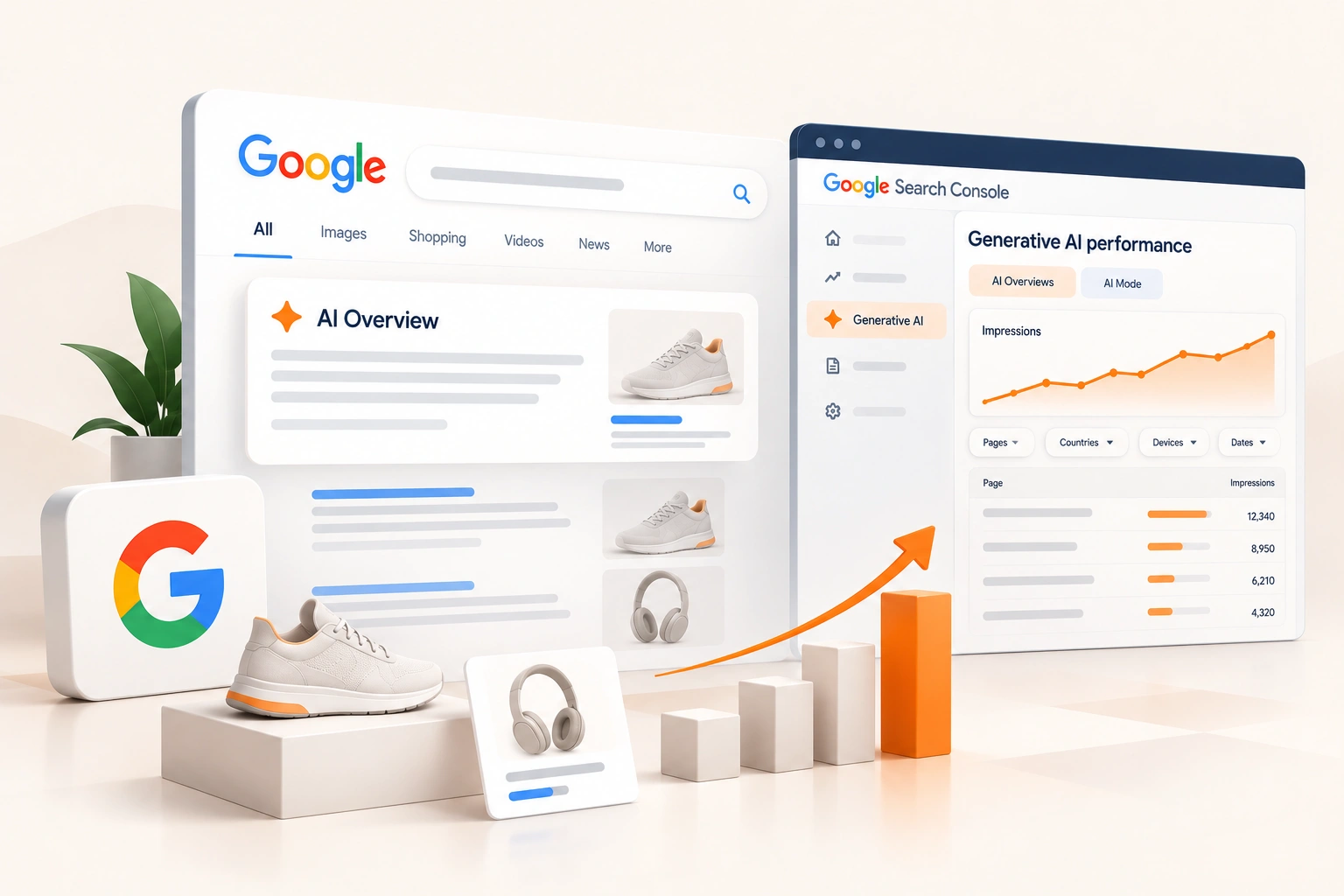
Generative AI features. Impressions in AI Overviews and AI Mode, reported on their own. What the generative AI report shows an online store covers what it counts and why its totals disagree.
Multimodal search. The camera and image searches above, in the Performance report and the generative AI report alike.
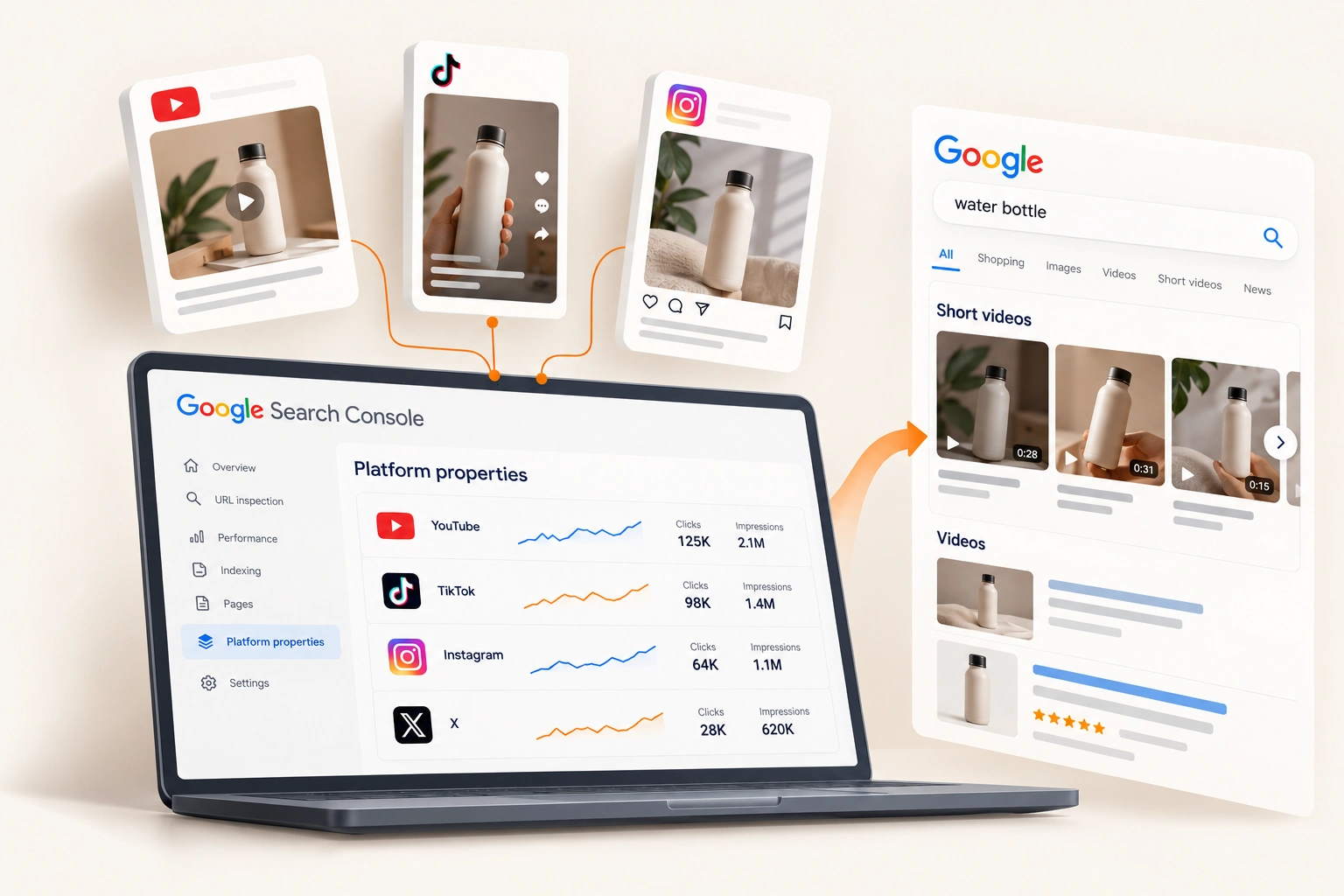
Platform properties. Since 29 July 2026, "platform properties are globally available to everyone": a brand's Instagram, TikTok, X and YouTube accounts as properties of their own, showing how their posts perform on Google Search. They sit beside the store's property, not inside it.
When traffic moves, check Google before the store
A fall in organic traffic is not always the store's doing. Google's Search Status Dashboard lists each ranking update with its start date; read on 30 October 2026, the latest was the spam update of 24 September, after core updates that began on 27 March and 21 May. The first check is whether a move lines up with one.
What a store should check after the September 2026 spam update works through that case. Otherwise, read the reports above by page type: a drop on one kind of page points at that kind of page, a drop across everything at the update or the whole site.
A monthly read, in order
Our practice, once a month, in the order Google's stages run.
Indexing. Indexed product and collection pages against the live catalogue, and any new reason in the report.
Product data. Invalid items in the merchant listing report, and new Merchant opportunities.
Non-branded performance. Clicks and impressions for non-branded searches, by page type.
The newer views. AI feature impressions, multimodal searches and the brand's platform properties, for the same pages.
Context. Any update on Google's dashboard in the period, checked before any conclusion.
Where we fit
Reading a store the way Google reaches it, stage by stage, and fixing each problem at the stage where it starts, is how we run eCommerce SEO for online stores. If the Page indexing report has never been opened, that is where we would begin.
Frequently asked questions
The questions that come up most often on this subject.
The Page indexing report, because a page Google has not indexed cannot be shown. Then the Shopping section, to see whether Google reads the product data, and then the Performance report with the branded queries filter set to non-branded. That order follows Google's own stages: crawling, indexing and serving.
Because Google indexes canonical pages, not every address: its help page says not to expect every URL to be indexed, only the canonical ones. Variants, filtered collection addresses and one product under several paths are duplicates by design. What matters is whether each product and collection page you want found is indexed.
Google recommends both. Its eCommerce guide says web crawling is not guaranteed to find every product, and a Merchant Center feed tells Google directly which products you want shown. Its product documentation says providing both maximises eligibility, and the Shopping tab draws on products uploaded to Merchant Center.
A filter in the Performance report, announced on 20 November 2025 and available to all eligible sites since 11 March 2026, that separates searches including the brand's name, its misspellings and its own products from all other searches. Google classifies them with an AI-assisted system and says some may be misidentified. It works on top level properties with enough searches, and it does not affect ranking.
No. Google's help page says a request does not guarantee the page will appear in the index, that requests have a daily limit, and that a sitemap is the better route for many pages. A page crawled and still not indexed needs a better reason to be kept, not another request.