Google Lens Traffic in Search Console: The New Multimodal Filter and What an Online Store Should Do With It
Search Console now reports searches made with a camera or an image: Lens, Circle to Search, image uploads and Chrome's Search this image. Where the filter is, what it counts, and the image work that decides whether a store's products are found this way.


Loading Article banner
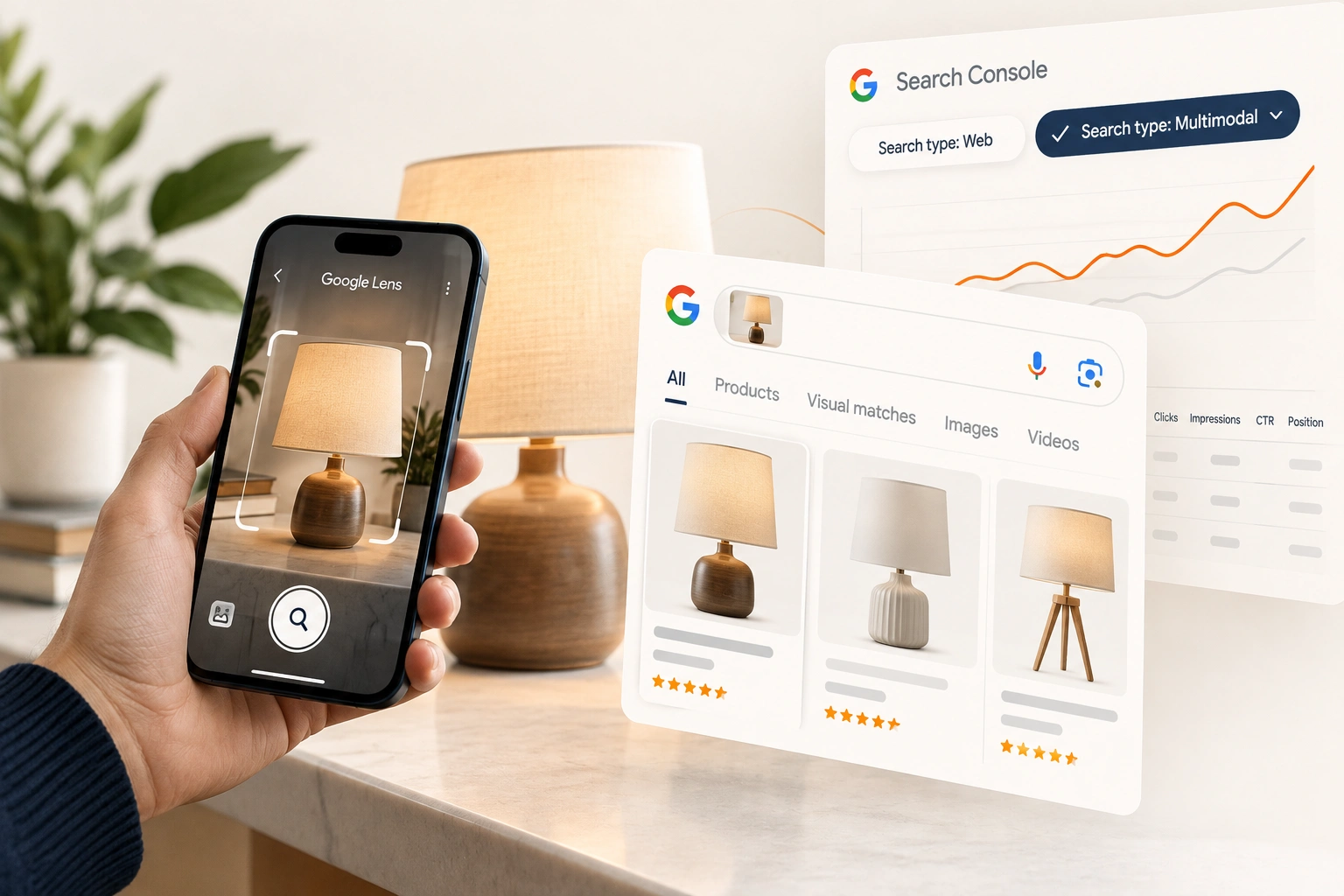
A shopper sees a lamp in a friend's flat, a jacket on the street or a part in a broken appliance, points a phone at it and asks Google what it is and where to buy it. Until September 2026, an online store had no way to see how often that search ended on one of its pages. On 24 September Google added the numbers to Search Console.
This is what the new report counts, where to find it, and why, for a store selling physical products, it is worth reading before most of the reports it already checks.
What Google added
Google's post announces "Search Console reporting for web multimodal search, in the report for performance on Search results as well as in the report for Generative AI features." It is "designed to give you insights into how your content is surfaced when users search using images (such as with a smartphone camera)."
Four kinds of search are counted: "searches with Lens, Circle to Search on Android, image uploads to Google Search, and the Chrome right-click 'Search this image' feature." The post was written by the product leads for Google Lens and for Search Console, and it says the data "is rolling out globally starting today."
Where to find it
Open the Performance report for Search results, or the report for Generative AI features, and choose the new multimodal search type in the filter at the top. Google's instruction is to "use the new multimodal search type filter in the performance reports," and to click Export to take the data into other tools.
The second report is worth opening too. The filter sits in the report for Generative AI features as well as in the ordinary Search results report, so a store can see separately whether image searches bring its pages up inside Google's AI answers and whether they bring them up in the results beneath. The two can differ, and a product page that appears in one and not the other is telling you which surface it is being judged for.
If nothing appears, that may be the answer rather than a fault. The post says "You will start seeing these metrics in your Performance report if your site is receiving traffic from these queries." A store with no multimodal data is a store that camera searches are not reaching yet, which is a finding in itself.
Why it matters more to a store than to most sites
A search made with a camera is usually about a thing: what is this, what is it called, where can I buy one. That is a product search, made by somebody who has already seen the product and wants to know more. A blog can get multimodal traffic; a store is who the search is really looking for.
It also sits apart from the keyword work a store already does. A shopper who does not know a product's name cannot type it. The camera search reaches the product page through the picture and the page around it, so a store can rank well for the words and still be invisible to the lens.
How to read the numbers
Start with the pages. Which product and category pages receive multimodal impressions, and which receive clicks? Compare them with the same pages under the web search type. A product that does well by camera and poorly by keyword is usually one people recognise and cannot name, and its title and description are worth rewriting in the words a shopper would use once they know what it is.
Then look for the pages that should be there and are not: the products most likely to be photographed, because they are seen in use, in shops or in other people's homes. Those are the pages to work on first. Google's post does not say how far back the data goes or how the metrics differ from web search, so compare like periods rather than reading a trend into the first weeks.
The image work that decides it, in Google's words
Google's own documentation on images in search is short and specific. Use real image elements: "Using standard HTML image elements helps crawlers find and process images," so a product photo set as a CSS background is harder to find. Supported formats are "BMP, GIF, JPEG, PNG, WebP, SVG, and AVIF." Descriptive file names beat camera defaults: Google's example is my-new-black-kitten.jpg against IMG00023.JPG.
Alt text should describe the image in context. Google's bad example is a string of keywords; its good one is "Dalmatian puppy playing fetch". For a product, that means the product, its colour or finish, and what it is doing in the picture, not the category name repeated. Quality counts: "High-quality photos appeal to users more than blurry, unclear images." And the page matters as much as the file: "The content and metadata of the pages where an image is embedded can have a great influence on how and where the image may appear."
Google also recommends image sitemaps for images it might not otherwise find, including images on a CDN, responsive images through srcset or a picture element with an img fallback, and structured data with the image attributes it requires. Structured data for online stores covers the product markup, and product descriptions written from supplier feeds covers the page copy around the picture.
What we do with it
On a Shopify store, most of this is the theme and the catalogue: whether the product images are real image elements, what the files are called, what the alt text says, and whether the product markup carries the image. The Shopify SEO guide covers where each of those lives. Reading the multimodal filter beside web search each month belongs in any store's eCommerce SEO work from now on, because it is the first direct measure of whether the store's pictures are doing any of the selling.
Frequently asked questions
The questions that come up most often on this subject.
It is a search type Google added to the Performance reports on 24 September 2026. It reports searches made with an image rather than words: Google Lens, Circle to Search on Android, image uploads to Google Search and Chrome's Search this image feature.
Yes, since September 2026. Lens searches are counted under the multimodal search type, in the Performance report for Search results and in the report for Generative AI features.
In the Performance report, choose the multimodal search type in the filter at the top. The same filter is in the report for Generative AI features, and the data can be exported like any other performance data.
Google says the metrics appear if a site is receiving traffic from these searches. If none appear after the rollout reaches your account, camera and image searches are not yet reaching your pages, and the image work on your product pages is the place to start.
Follow Google's image guidance: product photos as standard image elements, descriptive file names, alt text that describes the product in context, high quality images, image sitemaps where images are hard to find, and product structured data that includes the image. Then read the multimodal filter monthly to see which pages it reaches.