What "Approval Needed" Means on an Amazon Order
It appears on an order you thought was complete, and it usually means one of four things. Here is how to tell which.


Loading Article banner
"Approval needed" is one of Amazon's least explanatory status messages. It appears on an order that looked complete, gives no reason, and leaves a seller unsure whether to ship, wait or cancel.
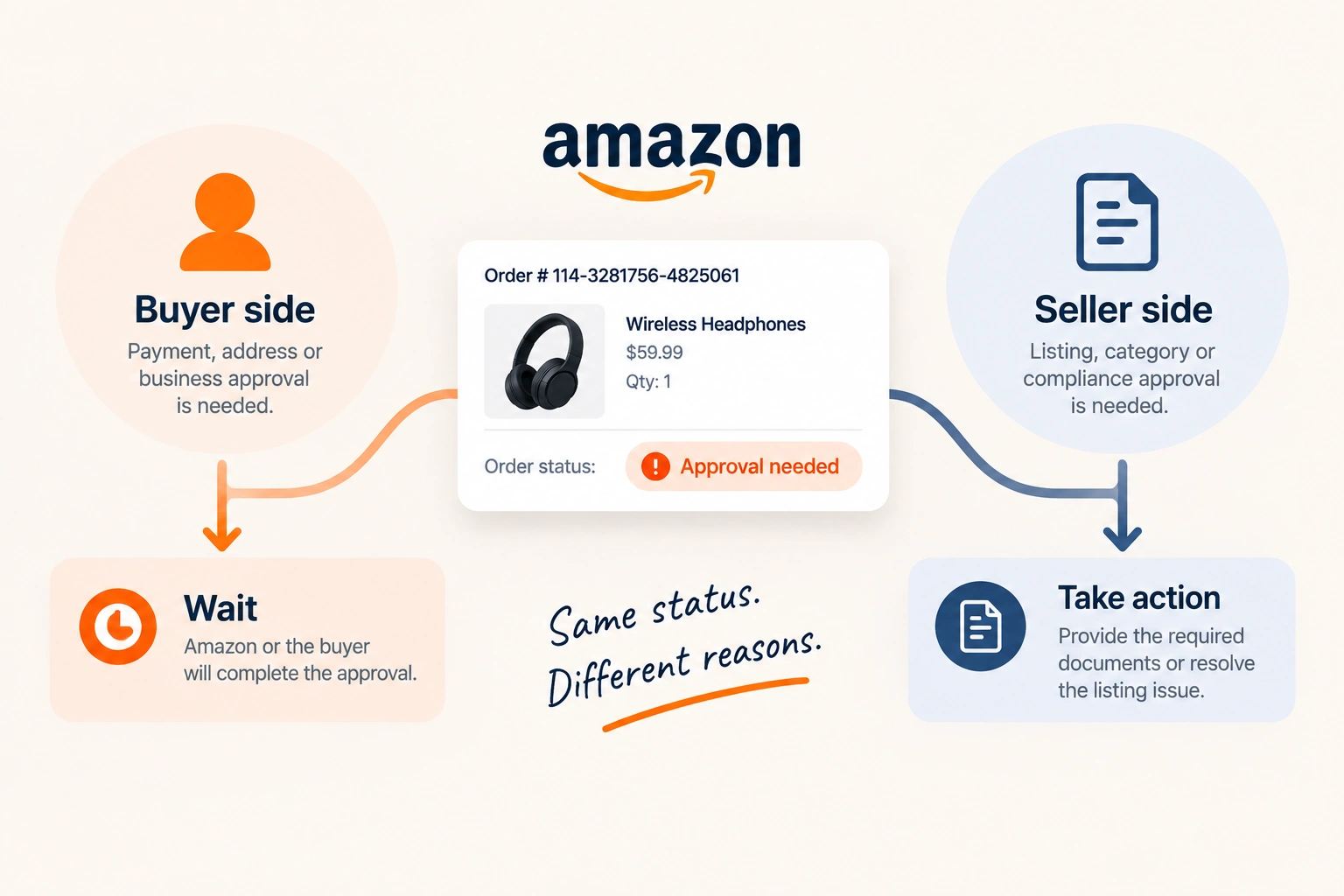
It is worth separating two situations that produce the same words, because the right response is opposite in each.
The buyer side, which is most of it
Most of the time the status has nothing to do with the seller. Amazon is waiting on something from the buyer or from its own systems: a payment method that failed verification, an address that needs confirming, a Business account where the purchase requires approval from somebody else in the organisation, or an internal fraud check.
Amazon Business is the most commonly missed cause. Business accounts can be configured so purchases above a threshold, or from certain categories, require sign-off from a manager. The order sits in limbo until that person approves it, and there is nothing a seller can do to speed it up.
In all of these, the correct action is to wait. The order either resolves and becomes shippable, or it cancels. Shipping before it resolves risks sending goods against an order that will not be paid for.
The seller side, which is the one that costs money
The other situation is an approval Amazon needs from you, and it usually concerns the listing rather than the order: a restricted category, a brand gate, a product requiring documentation, or a compliance requirement the listing has not satisfied.
This one does not resolve by waiting. It resolves by supplying what Amazon has asked for, and it usually means the item is not sellable until you do.
How to tell which you are looking at
Check the order detail page first. A pending order with no seller action available is almost always the buyer side.
Then check the listing itself. If the item shows as restricted, gated or requiring approval in your inventory, the problem is the listing rather than the order, and every order for that item will hit the same wall.
Then check Account Health and your case log. A compliance requirement that has gone unanswered will normally have generated a notification somewhere, and it is easy to miss among the routine ones.
What ungating actually requires
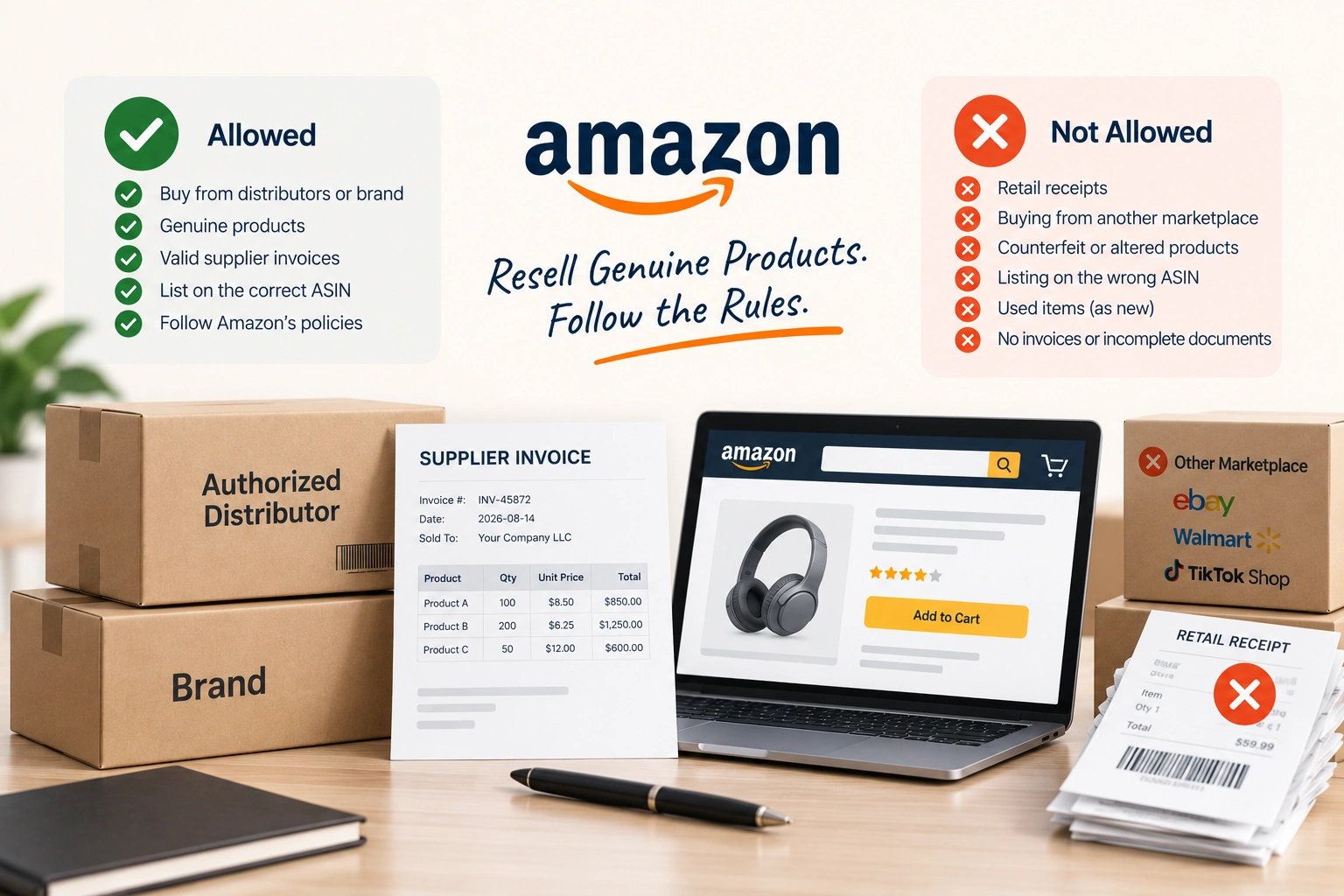
Where the block is a gated category or brand, Amazon typically wants invoices from an authorised supplier, sometimes documentation, test reports or authorisation letters depending on the category.
The most common reason an ungating request fails is not that the seller was refused. It is that the invoices did not meet Amazon's requirements: wrong date range, insufficient quantity, a supplier Amazon does not recognise as authorised, or details that do not match the seller account exactly. Those are administrative failures and they are fixable, but each rejected attempt costs weeks.
Stopping it happening again
Restriction problems are predictable. Check category and brand requirements before listing rather than after the first order fails, keep supplier documentation in the format Amazon asks for, and treat compliance notifications as urgent rather than as noise.
Buyer-side approvals are not predictable and are not your problem to solve. The useful discipline is simply not to ship against them.
Where an account is repeatedly hitting restrictions, that is a catalogue and compliance issue rather than an order issue, and it is part of what our Amazon account management service covers.
It hits some business models harder than others
Gating and approval requirements are not evenly distributed. A private label seller controls the brand, so brand gating is a form to complete once rather than an obstacle. A wholesale or arbitrage seller is buying somebody else's brand, which means every new line is a fresh approval question and the invoices have to satisfy Amazon each time.
Dropshipping sits worst of all here, because the supplier documentation Amazon wants is the documentation a dropshipping arrangement is least likely to produce in the seller's own name.
The same buyer is often reachable on Walmart and through a direct Shopify account, where the approval sits with you rather than with a marketplace. B2B sellers on Amazon Business meet a second version of the problem entirely: the buyer's own organisation requires internal approval, which has nothing to do with your listing and cannot be influenced from your side.
Whichever model you run, the pattern is the same: find out the requirement before buying stock rather than after an order stalls. Staying ahead of approvals and account health across a catalogue is part of our Amazon account management, and the back office capacity behind that work is our BPO team.
Related reading: Amazon Policy Warnings: What Each One Means.
Frequently asked questions
The questions that come up most often on this subject.
It means the order cannot proceed until something is approved. Usually that is on the buyer's side: a payment or address verification, an Amazon Business purchase awaiting sign-off from a manager, or an internal check. Occasionally it means Amazon needs an approval from the seller relating to a restricted or gated product.
No. Wait until the status resolves. Shipping against an unresolved order risks sending goods for an order that will be cancelled and not paid for, and it will not speed the approval up.
You can, but seller-initiated cancellations count against your order defect metrics, and an order waiting on a buyer-side approval is not your fault to absorb. Waiting for it to resolve or cancel on its own is almost always the better option.
The pending status itself does not. What can affect them is how you react to it: cancelling the order yourself, or shipping late once it finally clears. Both are avoidable by letting the status resolve and dispatching promptly when it does.
Brands can restrict who lists against their catalogue through Amazon's gating and Brand Registry tools, and Amazon gates some categories itself for safety or compliance reasons. The requirement is set by the brand or the category rather than by anything about your account.
Payment and verification checks usually clear within hours. Amazon Business approvals depend entirely on the buyer's own organisation and can take days, because the person who has to approve it may not know they are being waited on.
Amazon Business accounts can require internal sign-off for purchases above a spending threshold or in certain categories. The order waits until the nominated approver in the buyer's organisation acts. It is a setting on their account and nothing to do with your listing.
Ungating is Amazon's approval process for restricted categories and brands. It typically requires invoices from an authorised supplier, and sometimes documentation or test reports. Most failed attempts fail on invoice formatting or supplier recognition rather than on an outright refusal.