INFORM Act Verification on Amazon: The Six Items, the Annual Certification, and Why At Risk Appears After You Verified
Every year Amazon asks sellers to certify six pieces of information under the INFORM Consumers Act, and every year accounts go to At Risk over an expired licence, a stale address or a form never submitted. The rule in Amazon's words, the 2026 failures sellers report, and the fixes Amazon's staff give.


Loading Article banner
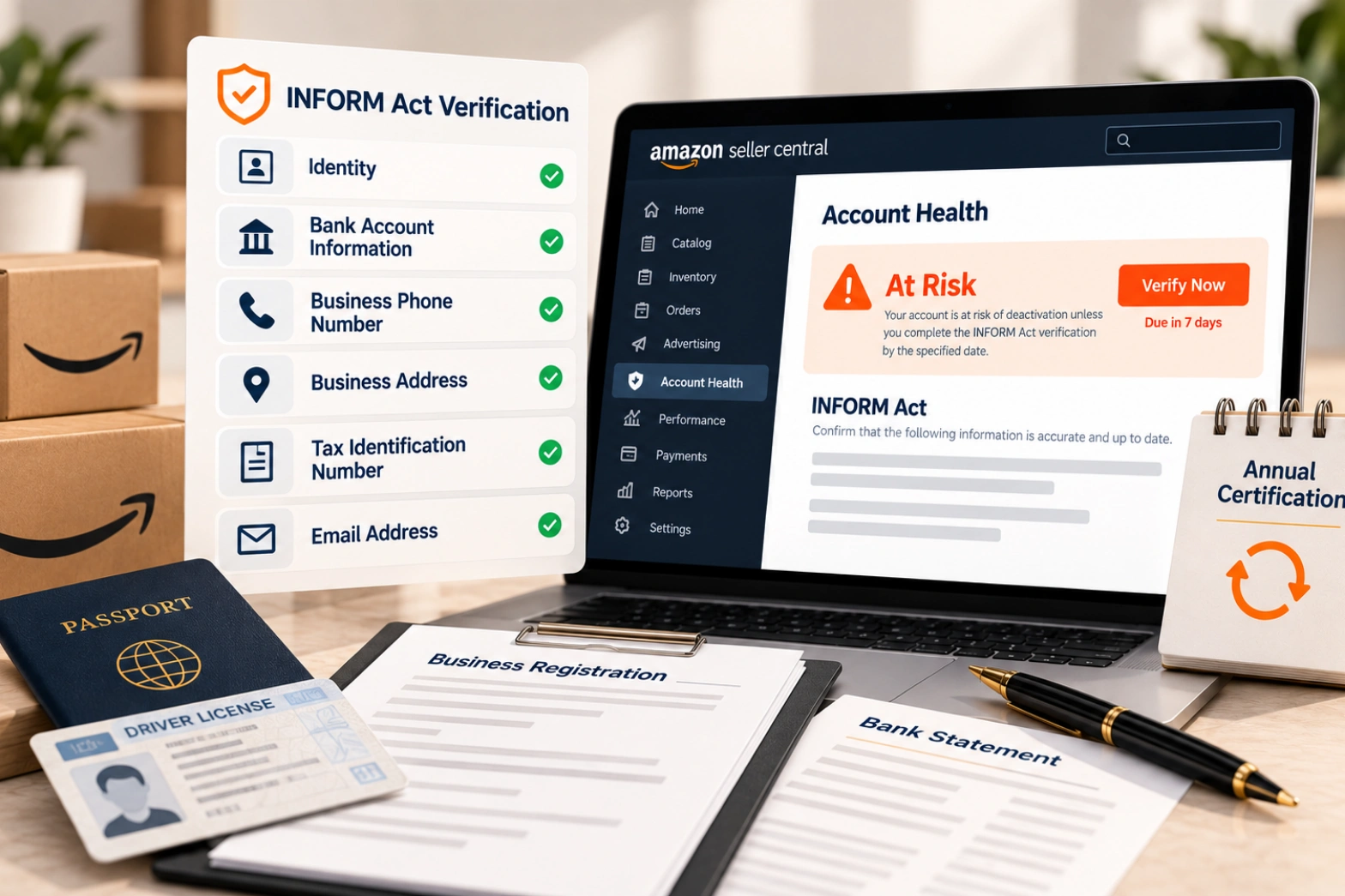
The warning arrives in the Account Health dashboard with a yellow banner and a countdown: the account is at risk of deactivation unless information is verified by a date. Most sellers who get it have done nothing wrong. A driving licence expired, a business moved, a bank account changed, or a form was saved and never submitted, and a federal law that most sellers last thought about in 2023 is asking again.
This is the INFORM Consumers Act as Amazon applies it, in Amazon's words: who it covers, the six items, the annual certification that makes it a recurring obligation rather than a one-off, the ways it has gone wrong for sellers in 2026, the fixes Amazon's own staff have given on the forums, and the register that keeps an account out of the banner for good.
Who the Act covers, and what Amazon verifies
Amazon's FAQ for sellers, posted by its forum staff when the Act took effect, states the threshold: the Act applies to sellers who have "sold 200 or more new or unused consumer products" and "had $5,000 or more in gross revenues" within any twelve-month period during the previous twenty-four months. That is most sellers with a business of any size.
For those sellers Amazon verifies six things: identity, bank account information, a working business phone number, a business address, a tax identification number and a working email address. Amazon says the Act "takes effect on June 27, 2023", asked sellers to submit "as soon as you can", and set out the consequence of not doing so: "We may temporarily deactivate your selling account" and hold disbursements if the requested information is not provided by the stated deadlines.
The sentence that turns this into a standing obligation: "Every year, we will ask you to electronically certify that these six pieces of information are still accurate." Verification is not finished when the account passes it the first time. It is due again every year, and whenever any of the six items changes, which is where most of the trouble starts.
Where it is done
Amazon points sellers to the Account Health page or the Account Information page in Seller Central. The six items live in different places there: identity under the primary contact, bank and tax under the deposit and tax settings, phone, email and address under the business information. A change to any one of them is an edit to that item and a resubmission for verification, not only an edit. The forum thread below turns on that distinction.
How it goes wrong in 2026, as sellers report it
Two threads from this year describe the failure modes most sellers will recognise. Both are individual reports on the Seller Forums and are given as such.
In March 2026 a seller received a verification request after a business licence address change. Before they could submit the new licence, the system submitted the verification itself using the old information on file, the identity check failed, the account went to At Risk, and the seller reported no resubmission or appeal route, only template replies from Seller Support and a case left open. The lesson is in the order of events: update the item first, then let the certification run.
In August 2026 a seller received a deactivation warning with seven days to resolve it, attempted the certification with a driving licence that had expired, was then asked to verify the bank account, submitted a passport and a bank statement, and two days later saw the bank account marked verified while identity stayed unverified and the warning stayed up. Other sellers replied that the status can take up to 24 hours to update after a verification completes, and that bank and identity are processed separately, with the identity status typically updating 48 to 72 hours after the bank check finishes. Those timings are sellers' observations, not Amazon's statement.
The fixes Amazon's staff gave
In the August thread an Amazon forum moderator gave three checks that are worth more than any template reply. First, whether identity had been verified before and whether the documents now submitted match the entries in Seller Central exactly. Second, in the moderator's words, that "simple differences like using St. versus Street can cause conflicts": the address on the licence, the bank statement and the account must be the same string, not the same place. Third, that both the save button and the submit for verification button were clicked, because a saved form is not a submitted one. And, as always on the forums, a case ID so the moderator can look.
Those three checks explain most At Risk banners that follow a verification: a document that lapsed, a field that differs by an abbreviation, or a submission that never happened. Seller support cases that actually get resolved covers how to write the case so it can be acted on; for INFORM the case needs to say which of the six items is unverified and what was submitted when.
The register that stops it recurring
Keep one page, owned by one person, with the six items as Amazon holds them, exactly as typed: the name on the identity document and its expiry date, the bank account and the name it is in, the phone number, the address as a string, the tax identification and the email. Beside each, the document that proves it and where it is kept. Review it quarterly and on any change to the business, and update Seller Central before the change takes effect, not after a request arrives.
The expiry date is the entry that matters most. An identity document that expires in month seven of the year fails the certification in month eight, and the certification does not warn in advance. The same register serves the insurance and company structure obligations that sit beside INFORM, which insurance and company structure for Amazon sellers sets out, because those also turn on the business name and address matching across documents.
When the banner does appear, the order is: identify which item, fix the underlying document or field, submit for verification (both buttons), open a case naming the item and the submission, and only then wait for the status to update. A seller who waits first and fixes later is spending the countdown. If the account has already been deactivated rather than warned, the route is the one in account health and getting reinstated, and the first step of it is the same register. New sellers meet the identity check at account opening, where how to start selling on Amazon describes the photograph or video call Amazon uses; the annual certification is that check, repeated.
How we handle it
We keep the register for the accounts we manage, calendar the document expiries and the annual certification, update Seller Central ahead of every business change, and run the submission and the case when a banner appears anyway. It is unglamorous work and it is the whole of our compliance and account health service in miniature: the account stays verified, insured and in policy because somebody is keeping the list. If your Account Health page is showing At Risk today, the three checks above are where to start, and we are glad to work through them with you.
Frequently asked questions
The questions that come up most often on this subject.
Six items, in Amazon's words: identity, bank account information, a working business phone number, a business address, a tax identification number and a working email address. The Act applies to sellers who have sold 200 or more new or unused consumer products and had $5,000 or more in gross revenues in any twelve-month period during the previous twenty-four months.
No. Amazon says that every year it will ask sellers to electronically certify that the six pieces of information are still accurate, and verification is also triggered when any of the items changes. An expired identity document or a changed address fails the next certification.
Usually one of three things an Amazon moderator named on the forums: the documents do not match the Seller Central entries exactly (an abbreviation such as St. against Street is enough), the form was saved but not submitted for verification, or one item (often identity) is still being processed after another (often the bank account) has cleared. Sellers report the status can take up to 24 hours to update, and identity 48 to 72 hours after a bank check.
Amazon's statement is that it may temporarily deactivate the selling account and hold disbursements if the requested information is not provided by the stated deadlines. The warning in Account Health gives the date.
Amazon points sellers to the Account Health page or the Account Information page. The six items are edited in their own settings (identity, deposit and tax, business information) and each change has to be submitted for verification, not only saved.